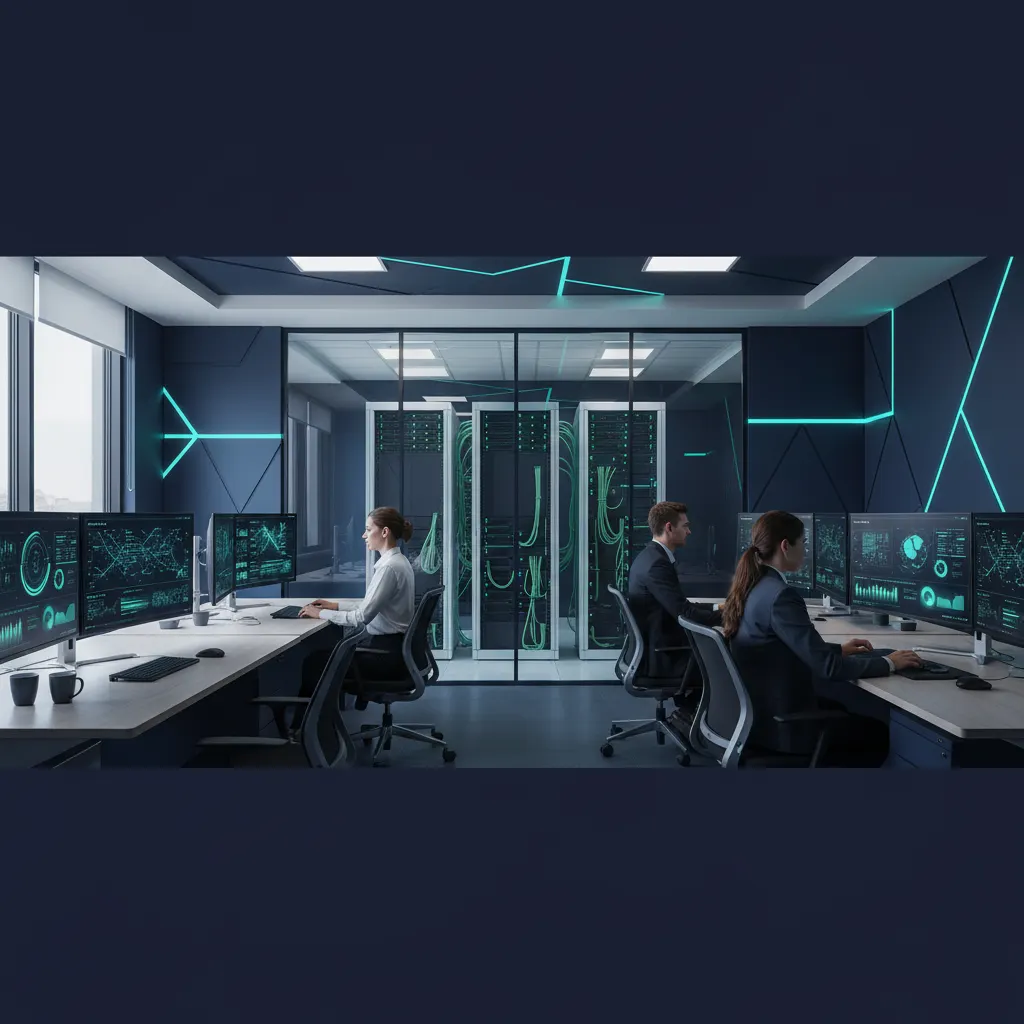
A data center asset inventory is the foundation of every operational, financial, and compliance decision made about the infrastructure inside a facility. Yet in practice, most organizations cannot answer a straightforward question: exactly how many assets are in the data center right now, where is each one physically located, and what is its current lifecycle status? The gap between what the CMDB reports and what actually occupies the racks is where millions of dollars disappear into ghost assets, stranded capacity, and compliance exposure.
This guide covers the complete discipline of data center asset inventory management -- from what to track and how to track it, through DCIM tools, RFID versus barcode technology, compliance frameworks, and the step-by-step process for building an inventory program that stays accurate over time. It is written for IT directors, data center managers, and operations leaders responsible for facilities ranging from a single enterprise data center to multi-site colocation deployments.
What Is Data Center Asset Inventory Management?
Data center asset inventory management is the systematic process of identifying, cataloging, tracking, and maintaining records for every physical device and infrastructure component housed within a data center facility. Unlike general IT asset management, which may span laptops, mobile devices, and office peripherals, data center inventory focuses specifically on the dense, high-value equipment that powers enterprise computing: servers, storage arrays, network switches, power distribution units, and the cabling that connects them.
The discipline extends beyond simple counting. A mature data center inventory program tracks each asset's physical location down to the rack unit (U-position), its network connectivity, power draw, warranty status, assigned workload, and position within the asset lifecycle from procurement through decommissioning. This granularity is what separates a data center asset inventory from a spreadsheet list of serial numbers.
For organizations operating their own facilities, data center inventory management is an internal discipline. For those using colocation, it becomes a shared responsibility between the tenant (who owns the equipment) and the provider (who manages the facility). Hybrid environments -- where an organization operates both on-premises data centers and colocation space -- add a third layer of complexity, requiring unified visibility across physically separate locations.
Data Center Inventory vs. General IT Asset Management
- Scope: Data center inventory covers rack-mounted and facility infrastructure; general ITAM includes end-user devices
- Granularity: Data center tracking requires rack-unit (U) position, power circuit, and network port mapping
- Density: A single data center rack may contain 42+ assets; an office floor may have one device per desk
- Compliance: Data centers face SOC 2, PCI DSS, and HIPAA requirements tied to physical security and environmental controls
- Velocity: Enterprise data centers process hundreds of move-add-change (MAC) requests monthly
Why Data Center Inventory Is Uniquely Challenging
General IT asset management is difficult enough. Data center inventory management compounds every challenge with factors unique to the data center environment.
Scale and Density
A mid-size enterprise data center contains 2,000 to 10,000 discrete physical assets. A hyperscale facility may house 100,000 or more. These assets are packed into rows of 42U cabinets where a single rack can contain dozens of 1U servers, switches, patch panels, and power strips -- all within a 7-foot vertical stack. Identifying and documenting each device requires physical access, clear labeling, and a systematic scan methodology that accounts for items hidden behind cable bundles or installed in non-standard positions.
Rapid Change
Data centers are not static environments. Enterprise facilities process 50 to 500 move-add-change (MAC) requests per month. Each MAC can involve installing new servers, decommissioning old ones, swapping failed components, or relocating equipment between racks. Without rigorous change management processes, inventory records become stale within weeks. Research indicates that data center asset databases drift 2-5% per month in environments without automated tracking.
Multi-Tenant Complexity
Colocation facilities introduce ownership boundaries that complicate inventory management. Multiple tenants share the same physical facility but occupy separate cages, cabinets, or suites. Each tenant maintains their own asset register, while the colocation provider tracks cage assignments, power allocations, and cross-connects. When a tenant installs or removes equipment without notifying the provider -- or vice versa -- inventory records on both sides diverge.
Environmental Constraints
Data centers impose physical constraints that do not exist in office environments. Hot-aisle/cold-aisle configurations limit movement patterns. Raised floors create hidden cabling infrastructure that must be documented. Equipment generates significant heat and noise, making extended physical audits uncomfortable and disruptive. Many facilities restrict access to authorized personnel only, adding scheduling complexity to any physical verification effort.
Shadow IT and Unauthorized Equipment
In enterprise data centers, project teams sometimes deploy equipment without going through the formal provisioning process. A development team may install a test server, a network engineer may add a temporary switch, or a vendor may leave monitoring equipment in a rack. These "shadow" assets consume power, cooling, and rack space without appearing in any inventory system. Studies suggest that 5-10% of data center assets are undocumented at any given time.
What to Track in a Data Center Asset Inventory
A comprehensive data center asset inventory must cover every category of physical equipment in the facility, not just the compute infrastructure that gets the most attention.
| Asset Category | Examples | Key Data Points | Typical Lifecycle |
|---|---|---|---|
| Compute | Rack servers, blade chassis, GPU servers, HCI nodes | Serial, model, CPU/RAM, rack U-position, IP, workload | 3-5 years |
| Network | Switches, routers, firewalls, load balancers, WAPs | Serial, model, port count, firmware, VLAN assignments | 5-7 years |
| Storage | SAN arrays, NAS filers, tape libraries, flash arrays | Serial, capacity, RAID config, attached hosts, utilization | 4-6 years |
| Power | PDUs, UPS systems, RPPs, generators, transfer switches | Serial, capacity (kW/kVA), circuit mapping, load % | 10-15 years |
| Cooling | CRACs, CRAHs, in-row coolers, chillers, coolant distribution | Serial, BTU capacity, refrigerant type, zone served | 15-20 years |
| Cabling | Fiber runs, copper patch cables, patch panels, cable trays | Cable type, endpoints (port-to-port), length, label ID | 10-20 years |
| Security/Monitoring | Cameras, badge readers, environmental sensors, BMS | Serial, location, zone coverage, firmware version | 5-10 years |
Each asset record should also capture the following lifecycle and financial data: purchase order number, acquisition cost, vendor and warranty details, depreciation method and schedule, assigned cost center, and current lifecycle stage (active, spare, maintenance, decommission-pending, or disposed). For organizations following GAAP or IFRS, maintaining this financial data within the fixed asset register is not optional -- it is required for accurate financial reporting.
Software and License Tracking
Physical inventory alone is incomplete without corresponding software records. Each server runs an operating system, hypervisor, database engine, or application stack that carries its own licensing obligations. Tracking the relationship between physical hardware and installed software licenses prevents both over-licensing (wasting money) and under-licensing (compliance risk during vendor audits). VMware, Oracle, and Microsoft licensing models all tie entitlements to physical host characteristics like CPU socket count or core count, making the hardware inventory directly relevant to software compliance.
The Data Center Asset Lifecycle
Data center assets follow a structured lifecycle that, when properly managed, maximizes return on investment and minimizes compliance risk. Each stage demands specific inventory actions.
Procurement and Receiving
The lifecycle begins when a purchase order is approved. Upon delivery, each asset should be physically inspected, serial numbers verified against the purchase order, and an asset tag applied before the equipment enters the data center. This receiving process creates the initial inventory record. Organizations that skip tagging at receiving -- intending to "tag it later" -- consistently find that 10-20% of assets never get tagged, creating blind spots from day one.
Staging and Configuration
Before deployment, equipment moves to a staging area where it is configured with the target operating system, firmware, network settings, and security baselines. The inventory record should update to reflect the asset's configuration state, assigned project or workload, and planned rack location. Pre-deployment configuration in a staging area rather than in-rack reduces the time the asset occupies its final rack position without being productive.
Deployment and Commissioning
Physical installation into the target rack marks the transition to "active" status. The inventory record must capture the precise rack location (building, room, row, rack, U-position), power circuit connections, network port assignments, and IP addressing. This is also the point where the asset enters the DCIM system's capacity planning view. Rack elevation diagrams should update in real time as equipment is installed.
Operations and Maintenance
During active service, the inventory record tracks firmware updates, hardware repairs, component upgrades (RAM, drives, NICs), warranty claims, and any physical relocations. Maintenance history is critical for identifying chronic failure patterns that justify early replacement. Operational data -- power consumption, CPU utilization, temperature -- feeds capacity planning and helps identify underutilized "zombie" servers that consume resources without delivering value.
Decommissioning
When an asset reaches end of life, a formal decommissioning process should ensure that data is securely wiped (following NIST 800-88 guidelines), the asset is physically removed from the rack, power and network connections are released, and the inventory record transitions to "decommissioned" status. The rack space, power, and cooling capacity freed by decommissioning should immediately reflect in the DCIM system to enable reuse.
Disposal and Remarketing
Decommissioned assets are either disposed of through certified e-waste recyclers (with certificates of destruction for data-bearing devices), remarketed through IT asset disposition (ITAD) vendors, or repurposed internally for lower-tier workloads. The inventory record should close with a disposal date, method, and any proceeds from remarketing. For regulated industries, maintaining disposal records is a compliance requirement, not a best practice.
Lifecycle Inventory Actions Summary
- Receive: Inspect, verify serial numbers, apply asset tag, create inventory record
- Stage: Configure, assign workload, update record with config details
- Deploy: Install in rack, record U-position, connect power/network, activate in DCIM
- Operate: Track maintenance, firmware, utilization, and physical moves
- Decommission: Wipe data, remove from rack, release capacity, update status
- Dispose: Recycle, remarket, or repurpose; close inventory record with documentation
DCIM Tools and Software for Data Center Inventory
Data Center Infrastructure Management (DCIM) software is the specialized toolset for managing the physical layer of a data center. While general IT asset management software handles the financial lifecycle of assets across an organization, DCIM focuses specifically on the data center environment: rack layouts, power chains, cooling zones, floor plans, and capacity planning.
What DCIM Covers
A DCIM platform provides a digital twin of the data center, mapping every asset to its physical location, power path, and network connectivity. Core capabilities include floor plan visualization with drag-and-drop rack placement, rack elevation diagrams showing U-by-U contents, real-time power monitoring per circuit and per device, cooling capacity analysis by zone, and "what-if" modeling for planned deployments. Leading DCIM platforms include Nlyte, Sunbird, and Device42.
DCIM vs. ITAM: Complementary, Not Competitive
DCIM and ITAM address different questions. DCIM answers: "Do we have the power, cooling, and space to deploy this new server in Row C, Rack 12?" ITAM answers: "What did this server cost, when does its warranty expire, and how much depreciation has been recorded?" Mature organizations integrate both systems so that a single asset record flows from the ITAM financial system into the DCIM physical model and back again. This integration eliminates the manual reconciliation that plagues organizations running separate, disconnected tools.
Discovery and Reconciliation Capabilities
Modern DCIM platforms include network discovery modules that scan IP ranges, SNMP communities, and management interfaces (iLO, iDRAC, IMM) to automatically detect connected devices. Discovery data is compared against the DCIM inventory to flag discrepancies: assets found on the network but not in the DCIM database (shadow assets), assets in the database but not responding on the network (potentially decommissioned or failed), and assets whose actual location or configuration differs from what the database records.
| Capability | DCIM | ITAM | CMDB |
|---|---|---|---|
| Rack elevation diagrams | Yes | No | No |
| Power/cooling capacity planning | Yes | No | No |
| Financial lifecycle (depreciation, cost) | Limited | Yes | No |
| Service dependency mapping | Limited | No | Yes |
| Network discovery | Yes | Some | Yes |
| Software license compliance | No | Yes | Limited |
| Physical verification integration | Yes | Yes | No |
RFID vs. Barcode for Data Center Asset Tracking
The choice between RFID and barcode technology for data center asset tracking involves trade-offs in cost, speed, accuracy, and infrastructure requirements. Both technologies have legitimate roles in a data center inventory program.
Barcode Scanning in Data Centers
Barcode asset tags remain the most common identification method in data centers. Durable polyester or metallic barcode labels cost $0.10-$0.50 per tag, and modern smartphones or dedicated scanners can read them quickly. However, barcode scanning in a data center requires line-of-sight access to each tag, which means physically reaching every server in every rack. In a dense environment with rear-mounted equipment and tangled cable bundles, scanning every asset can take 3-5 minutes per rack -- adding up to hundreds of hours for a full facility audit.
RFID for Data Center Environments
RFID eliminates the line-of-sight constraint. A technician walking down an aisle with a handheld UHF RFID reader can scan every tagged asset in a row of racks within minutes. Metal-mount RFID tags, specifically designed for attachment to server chassis and network equipment, cost $1-5 per tag and are engineered to perform reliably on metallic surfaces -- a critical requirement in an environment where nearly every asset is metal.
The ROI is most compelling in large facilities. For a 500-rack data center with an average of 20 assets per rack (10,000 total assets), a barcode-based physical audit typically requires 250-400 labor hours. The same audit with RFID takes 40-80 hours -- a 70-80% reduction. Over the course of annual audits and quarterly cycle counts, RFID pays for itself within the first year for most facilities above 200 racks.
Fixed RFID Portals
Advanced deployments install fixed RFID readers at data center entry points, cage doors, and aisle ends. These portals automatically log every tagged asset that passes through, creating a real-time movement record without any manual intervention. When a server is wheeled into or out of the data center on a cart, the portal reads its tag and updates the inventory system automatically. This approach is particularly valuable for colocation facilities where tenant equipment moves frequently.
| Factor | Barcode | Passive UHF RFID | Active RFID/BLE |
|---|---|---|---|
| Tag cost | $0.10-$0.50 | $1-$5 (metal-mount) | $15-$50 |
| Read range | Contact to 12 inches | 3-10 meters | 30-100 meters |
| Line of sight required | Yes | No | No |
| Scan speed per rack | 3-5 minutes | 10-30 seconds | Continuous (automated) |
| Infrastructure needed | Handheld scanner or phone | Handheld reader ($1,500-$3,000) | Fixed readers + gateways ($5K-$20K/zone) |
| Best for | Small facilities (<100 racks) | Mid-large facilities (100-2,000 racks) | Real-time tracking, high-security zones |
Automated Discovery vs. Manual Physical Audits
A common question in data center inventory management is whether automated network discovery tools can replace manual physical audits. The answer is that they serve fundamentally different purposes and cannot substitute for each other.
What Automated Discovery Does Well
Network discovery tools (built into DCIM, ITAM, or standalone platforms like Lansweeper and SolarWinds) scan IP ranges, query SNMP MIBs, poll management interfaces, and interrogate agents installed on endpoints. They excel at detecting what is connected to the network and collecting configuration data: hostname, operating system, CPU/memory, installed software, MAC addresses, and open ports. Discovery runs continuously or on a schedule, providing near-real-time visibility into the logical state of the environment.
What Automated Discovery Cannot Do
Discovery tools cannot tell you where an asset physically sits. A server responding on IP 10.20.30.40 could be in any rack in any room. Discovery cannot identify unpowered assets -- decommissioned servers sitting in racks consuming space but not on the network. It cannot verify that the serial number on the physical chassis matches the serial number in the database (a common discrepancy after hardware swaps). It cannot detect physical damage, missing tags, or unauthorized equipment that has never been connected to the managed network.
The Hybrid Approach
Best practice combines both methods. Automated discovery runs continuously to maintain an up-to-date logical inventory and flag changes (new devices appearing, known devices disappearing). Physical audits, conducted annually or semi-annually, reconcile the logical inventory against physical reality. The physical audit catches everything discovery misses: unpowered assets, mislocated equipment, missing tags, unauthorized devices, and assets whose physical characteristics (serial number, model) do not match the database record.
Discovery + Physical Audit: What Each Catches
- Discovery only: New network-connected devices, configuration changes, software installations, firmware versions
- Physical audit only: Unpowered/disconnected assets, missing asset tags, physical location verification, condition assessment, unauthorized equipment
- Both together: Complete reconciliation of logical records, physical reality, and financial registers
Data Center Asset Inventory Best Practices
Organizations that maintain consistently accurate data center inventories share a common set of operational practices. These best practices apply regardless of facility size, ownership model, or DCIM platform.
Tag Everything at Receiving
Apply an asset tag to every piece of equipment before it enters the data center. No exceptions. Tags should be applied in the receiving dock or staging area, with the tag number linked to the purchase order and entered into the inventory system immediately. Equipment that reaches the production floor without a tag is equipment that may never be tracked.
Standardize Naming and Location Conventions
Adopt a hierarchical location schema that maps to the physical layout: Site > Building > Floor > Room > Row > Rack > U-Position. Example: "DFW1-DC2-1F-A-R04-U22" unambiguously identifies a device in Dallas facility 1, data center building 2, first floor, row A, rack 4, unit 22. Apply the same standardization to asset naming, using consistent prefixes for asset types (SRV for servers, SW for switches, STG for storage).
Enforce Move-Add-Change (MAC) Discipline
Every physical change in the data center -- installation, removal, relocation, or hardware swap -- must generate a MAC ticket that triggers an inventory update. The MAC process should be the only way equipment enters or leaves the data center floor. Organizations that allow "informal" changes (carrying a server to a rack without a ticket) see their inventory accuracy degrade rapidly.
Conduct Regular Cycle Counts
Rather than relying solely on a single annual comprehensive audit, implement continuous cycle counting. Divide the data center into zones and audit one zone per week or per month, cycling through the entire facility over the course of a quarter or year. This approach distributes the audit workload, catches discrepancies sooner, and avoids the disruption of a facility-wide physical inventory event.
Maintain Rack Elevation Documentation
Every rack should have an up-to-date elevation diagram showing what is installed in each U-position. DCIM platforms maintain these digitally, but the data is only accurate if MAC processes reliably update the system. Some organizations post printed elevation diagrams on the front of each rack as a visual cross-reference -- though this practice requires diligent updates.
Integrate DCIM, ITAM, and CMDB
Data center inventory accuracy suffers when the DCIM, ITAM, and CMDB operate as independent silos. Integration ensures that a MAC ticket in the ITSM system automatically updates the DCIM rack diagram, the ITAM financial record, and the CMDB configuration item simultaneously. Without integration, each system drifts independently, and reconciling three different versions of the truth becomes a full-time job.
Compliance and Audit Requirements
Data center inventory management is not purely an operational discipline. Multiple compliance frameworks impose specific requirements on how organizations track, secure, and report on data center assets.
SOC 2 (Service Organization Control)
SOC 2 audits evaluate controls related to security, availability, processing integrity, confidentiality, and privacy. For data center operators, this includes physical security controls (who can access the facility), asset management controls (how equipment is tracked and disposed), and change management controls (how MACs are authorized and documented). An inaccurate asset inventory is a direct finding in a SOC 2 audit because it undermines the organization's ability to demonstrate control over its physical environment.
PCI DSS (Payment Card Industry Data Security Standard)
Organizations that process, store, or transmit credit card data must comply with PCI DSS, which includes Requirement 9 (restrict physical access to cardholder data) and Requirement 2 (maintain an inventory of system components). PCI DSS 4.0, effective March 2025, strengthened the requirement for maintaining accurate, current inventories of all system components in the cardholder data environment. A failed PCI audit can result in fines of $5,000 to $100,000 per month until remediation.
HIPAA (Health Insurance Portability and Accountability Act)
Healthcare organizations must track all systems that store, process, or transmit protected health information (PHI). HIPAA's Security Rule requires organizations to maintain an accurate inventory of hardware assets in the PHI environment, implement access controls, and document asset disposal procedures including media sanitization. Data center assets that handle PHI but are missing from the inventory represent both a compliance gap and a data breach risk.
Financial Reporting (SOX, GAAP, IFRS)
For publicly traded companies, data center hardware represents a significant capital expenditure that must be accurately reported on the balance sheet. SOX compliance requires internal controls over financial reporting, including accurate fixed asset registers. If the data center inventory does not reconcile with the fixed asset register, auditors will flag it as a material weakness or significant deficiency. GAAP and IFRS both require accurate useful life estimates and depreciation calculations that depend on knowing exactly what assets exist and their condition.
Compliance Quick Reference
- SOC 2: Physical access controls, asset tracking, change management documentation
- PCI DSS 4.0: System component inventory, physical access restriction, disposal procedures
- HIPAA: PHI hardware inventory, access controls, media sanitization records
- SOX/GAAP: Fixed asset register accuracy, depreciation schedules, internal controls over IT assets
- ISO 27001: Asset register (Annex A.8), media handling, equipment disposal
The Cost of Poor Data Center Inventory Management
The financial impact of inaccurate data center inventory management extends far beyond the obvious cost of lost equipment. Poor inventory practices create compounding costs across operations, finance, compliance, and security.
Ghost Assets and Wasted Maintenance Contracts
Ghost assets -- equipment that appears in the inventory and financial systems but has been physically removed, failed, or retired -- are endemic in data centers. Industry benchmarks suggest that 5-15% of data center assets are ghosts. Organizations pay for hardware maintenance contracts, extended warranties, and software licenses on equipment that no longer exists. For a facility with 5,000 assets and an average maintenance cost of $500 per asset per year, a 10% ghost rate translates to $250,000 in annual waste.
Stranded Capacity
When the inventory system shows that a rack is fully occupied but a physical audit reveals that several U-positions contain decommissioned equipment that was never removed, the result is stranded capacity. Power, cooling, and space are allocated to equipment that serves no purpose. At an industry average of $8,000-$15,000 per rack per year in operating costs, even a small percentage of stranded capacity adds up. A 500-rack facility with 5% stranded capacity wastes $200,000-$375,000 annually.
Compliance Penalties
Audit findings related to inaccurate asset inventories can result in costly remediation efforts and, in the case of PCI DSS, direct financial penalties. Beyond the fines, a SOC 2 audit failure can cost a colocation provider or SaaS company its customers -- enterprises increasingly require clean SOC 2 Type II reports from their service providers as a condition of doing business.
Security Exposure
Untracked servers represent unpatched servers. If a device does not appear in the inventory, it is unlikely to be included in the organization's patch management, vulnerability scanning, or endpoint protection programs. Each untracked device is an open door for attackers. The average cost of a data breach in 2025 reached $4.88 million (IBM Cost of a Data Breach Report), and unmanaged assets are consistently cited among the top attack vectors.
Inaccurate Financial Reporting
When the data center asset inventory does not match the fixed asset register, financial statements misrepresent the organization's asset base. This affects depreciation expense, net asset values, and potentially tax obligations. For publicly traded companies, material discrepancies between physical assets and the fixed asset register can escalate from an internal control weakness to a restatement risk.
| Cost Category | Typical Impact (2,000 assets) | Typical Impact (10,000 assets) |
|---|---|---|
| Ghost asset maintenance waste | $50,000-$150,000/year | $250,000-$750,000/year |
| Stranded rack capacity | $40,000-$75,000/year | $200,000-$375,000/year |
| Compliance remediation | $25,000-$100,000 per finding | $50,000-$250,000 per finding |
| Over-provisioned licenses | $30,000-$100,000/year | $150,000-$500,000/year |
| Estimated annual waste | $145,000-$425,000 | $650,000-$1,875,000 |
Building a Data Center Asset Inventory Program
For organizations starting from scratch or rebuilding a failed inventory program, the following phased approach provides a structured path from initial assessment to ongoing operational maturity.
Phase 1: Assessment and Planning (Weeks 1-4)
Begin by documenting the current state. How many data center locations does the organization operate? What systems currently hold asset data (CMDB, ERP fixed asset module, spreadsheets, DCIM)? How accurate is the existing data? What compliance frameworks apply? What is the MAC volume? This assessment defines the scope of the program and identifies the gap between current state and target state.
During planning, define the data model (what fields each asset record will contain), the location hierarchy, naming conventions, and the roles responsible for maintaining accuracy. Establish KPIs: target inventory accuracy rate (99%+ for mature programs), maximum age of unverified records, and MAC processing SLA.
Phase 2: Baseline Physical Inventory (Weeks 5-10)
Conduct a comprehensive physical inventory of every data center asset. This is the most labor-intensive phase and often the most revealing. CPCON Group's data center inventory services typically uncover 5-15% more assets than the client's records indicate (shadow assets, untagged equipment), along with 8-12% of registered assets that cannot be physically located (ghost assets, relocated without documentation, disposed without record closure).
Every located asset is tagged (if not already), photographed, and cataloged with full detail: serial number, make/model, rack location (U-position), power connections, network ports, and physical condition. The output is a clean, verified baseline dataset ready for import into the DCIM and ITAM platforms.
Phase 3: Tool Deployment and Data Load (Weeks 8-16)
With a verified baseline in hand, deploy or configure the DCIM and ITAM platforms. Import the baseline data, configure integrations with the CMDB and ERP, set up automated discovery schedules, and establish MAC workflow templates. This phase overlaps with Phase 2 -- tool configuration can begin while the physical inventory is still in progress.
Phase 4: Process Operationalization (Weeks 12-20)
Train data center operations staff on the MAC process, tagging procedures, and system updates. Assign inventory ownership to specific roles (data center manager, asset coordinator). Implement cycle count schedules. Establish exception handling procedures for situations like emergency hardware replacements where the normal MAC process cannot be followed in advance. Run parallel operations (old process and new process) for 4-6 weeks to validate the new procedures before cutting over.
Phase 5: Continuous Improvement (Ongoing)
Monitor inventory accuracy KPIs monthly. Review cycle count findings to identify recurring discrepancy patterns (certain teams, certain zones, certain asset types). Evaluate whether the tagging technology is adequate or whether an upgrade from barcode to RFID is justified based on audit labor costs. Conduct annual comprehensive physical inventories to reset the baseline and catch any drift that cycle counts may have missed.
Program Maturity Benchmarks
- Level 1 (Ad Hoc): Spreadsheets, no standard processes, accuracy below 70%
- Level 2 (Defined): DCIM/ITAM deployed, MAC process established, accuracy 70-85%
- Level 3 (Managed): Integrated DCIM/ITAM/CMDB, cycle counts, RFID-enabled, accuracy 85-95%
- Level 4 (Optimized): Real-time tracking, automated reconciliation, analytics-driven, accuracy 95-99%+
Frequently Asked Questions
What should be included in a data center asset inventory?
A complete data center asset inventory should include every physical device mounted in or connected to the facility: servers (rack-mount, blade, tower), network switches, routers, firewalls, load balancers, storage arrays (SAN/NAS), patch panels, PDUs, UPS systems, cabling infrastructure, KVM switches, and environmental sensors. Each asset record should capture serial number, make/model, rack location (row-rack-U position), IP address, purchase date, warranty expiration, and assigned workload or tenant.
How often should a data center inventory be audited?
Best practice calls for a full physical audit of data center assets at least once per year, with quarterly cycle counts of high-value or frequently moved equipment. Organizations subject to SOC 2, PCI DSS, or HIPAA should align audit frequency with their compliance calendar. Colocation and multi-tenant facilities often require monthly reconciliation due to the volume of customer-driven changes. Automated discovery tools should run continuously to catch day-to-day drift between audits.
What is the difference between DCIM and ITAM for data centers?
DCIM (Data Center Infrastructure Management) focuses on the physical infrastructure layer: power capacity, cooling, floor space, rack elevation, and environmental monitoring. ITAM (IT Asset Management) focuses on the financial and lifecycle management of individual assets: procurement, depreciation, warranty, and disposal. Most enterprise data centers need both. DCIM tells you whether a rack has available power and cooling for a new server; ITAM tells you what that server costs, when its warranty expires, and whether it has been fully depreciated.
Is RFID practical for data center asset tracking?
Yes, RFID is highly practical for data center asset tracking and is increasingly standard in enterprise facilities. Passive UHF RFID tags can be read at distances of 3-10 meters, enabling a technician to scan an entire row of racks in minutes rather than hours. Metal-mount RFID tags designed for server chassis cost $1-5 per tag and withstand the heat generated by rack-mounted equipment. Organizations using RFID for data center inventory report 60-80% reductions in physical audit time compared to barcode scanning.
How do you track assets in a colocation data center?
Colocation data centers present unique tracking challenges because multiple tenants share the facility. Best practices include maintaining tenant-specific asset registers, using cage or cabinet-level access controls with logging, requiring move-add-change (MAC) tickets for all asset movements, and conducting joint physical inventories with the colocation provider. RFID portals at cage entry points can automatically log asset movements. The colocation provider and tenant should reconcile their respective inventories quarterly to catch discrepancies.
What does poor data center inventory management cost?
Poor data center inventory management creates costs across multiple categories. Ghost assets -- servers still on the books but physically decommissioned -- waste 5-15% of maintenance contract budgets. Stranded capacity from unknown or underutilized servers wastes power and cooling at $5,000-$15,000 per rack per year. Compliance failures from inaccurate asset records can result in SOC 2 audit findings or PCI DSS penalties. For a mid-size data center with 2,000 assets, the aggregate cost of poor inventory management typically exceeds $500,000 annually.